Lock It Down: Your Actionable Guide to Securing Domain Email & POP3 Accounts
Your domain email address (like name@yourbusiness.com) is more than just a communication tool—it’s the digital face of your professionalism, a gateway to your online accounts, and a prime target for cybercriminals. Yet, many individuals and small businesses rely on default settings, weak passwords, and basic POP3/IMAP configurations, leaving a massive security hole.
A compromised email account can lead to stolen data, financial fraud, damaged reputation, and lost customer trust. It’s time to move beyond the basics. This guide provides a clear, step-by-step roadmap to fortify your domain email accounts against modern threats.
Why Domain Email Security is Non-Negotiable
Think about what’s linked to your business email: website logins, social media accounts, banking, client communications, and cloud storage. A hacker gaining access can:
-
Impersonate you to scam your clients or partners.
-
Trigger password resets on other critical accounts.
-
Access sensitive documents and confidential information.
-
Destroy your sender reputation, harming your deliverability.
Securing your email isn’t just IT hygiene; it’s essential business protection.
9 Essential Steps to Maximum Email Security
Follow these actionable strategies to build a robust defense.
1. The Foundation: Impenetrable Passwords & 2FA
-
Password Power: Ditch dictionary words and simple patterns. Use a long, random passphrase (e.g.,
Cloudy-Coffee-Trains-Magnet-42!) or a password manager-generated string. Never reuse this password anywhere else. -
Mandatory 2FA (Two-Factor Authentication): This is your single most effective security upgrade. Even if your password is stolen, a hacker needs a second code (from an app like Google Authenticator or Authy, not SMS if possible). Enable it in your hosting or email control panel immediately.
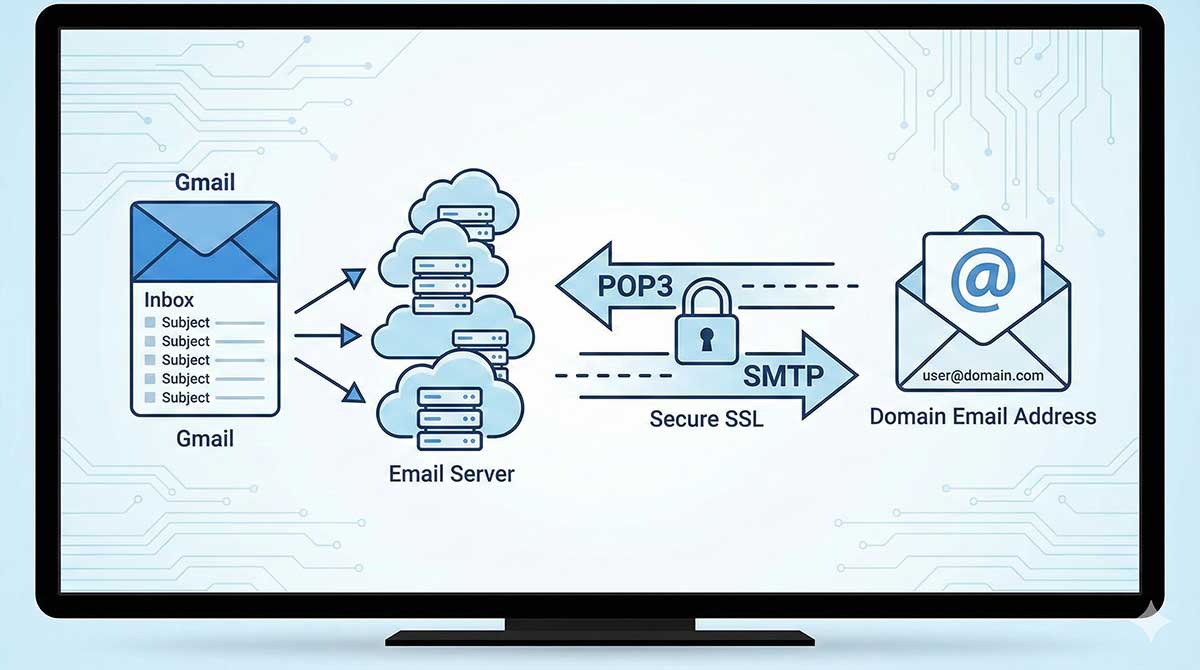
2. Ditch POP3 for IMAP (with SSL/TLS)
-
POP3 (Port 110) is outdated and insecure. It typically downloads and deletes mail from the server, risking data loss, and often uses unencrypted connections.
-
Switch to IMAP (Port 993) with SSL/TLS. IMAP syncs mail across all devices securely and keeps it on the server. Always ensure “SSL/TLS” is checked in your email client settings (Outlook, Apple Mail, etc.). This encrypts the connection between your device and the mail server.
3. Audit & Remove Unused Accounts and Forwarders
Old employee accounts, test addresses, or forgotten forwarders are “ghost” entry points. Regularly review all mailboxes and forwarding rules in your control panel (cPanel, Plesk, etc.) and disable anything no longer in active use.
4. Beware of Phishing – The #1 Threat
Most breaches start with a trick. Train yourself and your team to:
-
Scrutinize sender addresses carefully (look for subtle misspellings).
-
Hover over links before clicking to see the true destination.
-
Be wary of urgent messages demanding immediate action or credentials.
-
Never provide your password via email.
5. Keep Your Mail Client & Devices Updated
Whether you use Outlook, Thunderbird, or a mobile app, ensure it’s set to update automatically. The same goes for your computer, phone, and tablet OS. Updates patch critical security vulnerabilities.
6. Use a Secure Connection (VPN) on Public Wi-Fi
Never check your business email on airport or café Wi-Fi without protection. A reputable VPN (Virtual Private Network) encrypts all your internet traffic, shielding your login credentials from snoopers on the same network.
7. Monitor Account Activity
Regularly check your “Last Login” details or account activity logs if your provider offers them. Look for unfamiliar locations, devices, or IP addresses. Many hosts provide this in the webmail interface.
8. Implement SPF, DKIM, and DMARC (Advanced but Crucial)
These are DNS records that authenticate your emails, proving they truly came from you and weren’t spoofed. They drastically improve deliverability and protect your brand.
-
SPF: Lists servers allowed to send email for your domain.
-
DKIM: Adds a digital signature to each outgoing message.
-
DMARC: Tells receiving servers what to do with emails that fail SPF/DKIM checks (quarantine or reject).
(Your hosting provider can often help you set these up.)
9. Regular Backups Are Your Safety Net
Your host likely has server backups, but don’t rely solely on them. Use an email client that stores local copies or invest in a third-party email backup solution. If ransomware hits or an account is hijacked, you can restore critical communications.
Your Security Checklist
-
Strong, unique password set
-
Two-Factor Authentication (2FA) enabled
-
Using IMAP over SSL/TLS (Port 993)
-
Unused accounts/forwarders removed
-
Phishing awareness practiced
-
Software & devices updated
-
VPN used on public networks
-
Login activity monitored
-
SPF/DKIM/DMARC records configured (ask your host)
-
Email backup system in place
Final Thought: Email security is not a “set it and forget it” task. It’s an ongoing process of vigilance and maintenance. By investing an hour or two to implement these measures, you transform your domain email from a vulnerability into a fortified asset, protecting your business, your data, and your reputation.
Need help? Start by contacting your web hosting provider’s support team.